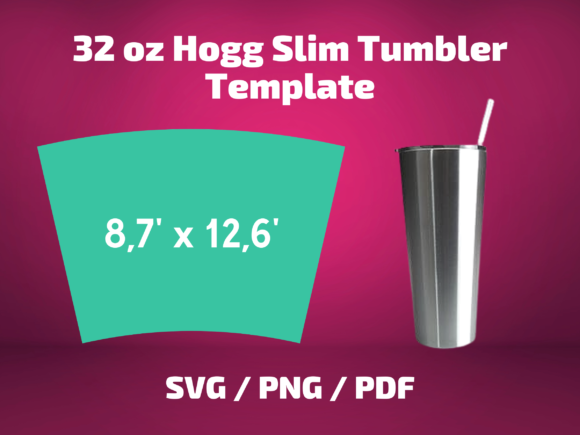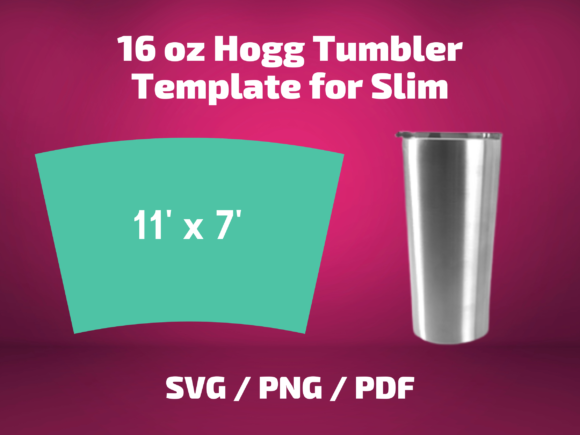
Hogg 22 Oz Slim Tumbler Graphics & Print Templates Review
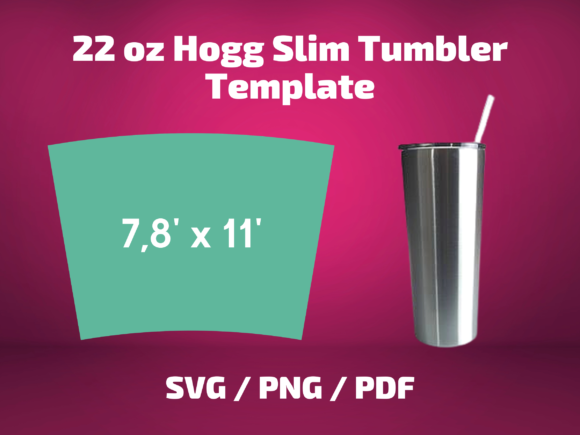
When I first opened the Tumbler Template Hogg 22 Oz Slim file set, my immediate thought was how practical this specific sizing feels for the current drinkware market. The 22 oz slim profile has become a staple in the sublimation and custom tumbler space, and having a template dedicated to this exact dimension saves a fair amount of guesswork. The visual personality of this asset leans utilitarian and clean. It is not trying to be decorative or stylized on its own. Instead, it gives you a structured starting point, which appeals to sellers who already have their own design vision and simply need a reliable dimensional guide to wrap their artwork around a physical product.
For digital product creators, print-on-demand sellers, and crafters who build tumbler wrap designs, this type of graphic design asset fills a very specific gap. It is not a finished design. It is a production tool. That distinction matters if you are evaluating whether this belongs in your commercial workflow or your next digital download bundle.
Who This Template Actually Serves
After spending time with the file, I can see this working well for a few distinct buyer profiles. The obvious audience is sublimation tumbler makers who sell finished physical products. They need accurate wrap dimensions to avoid trimming disasters and wasted blanks. The second group, and the one I fall into, is the digital product creator who builds and sells the artwork files that other crafters use. For that kind of seller, the Tumbler Template Hogg 22 Oz Slim becomes a behind-the-scenes production asset rather than a resellable product.
There is also a segment of Etsy sellers and creative marketplace vendors who package template bundles for Canva users or Cricut owners. If you sell in that niche, you already know that buyers expect templates to be nearly foolproof. The challenge with this particular asset, and something I will address in detail, is that Cricut software updates have introduced quirks that can throw off template dimensions if you rely on automatic import settings.
Testing the Files Across Formats
The package includes SVG, PNG, and PDF versions. Each format serves a different purpose, and testing them individually revealed some practical considerations.
The SVG design file is the most versatile for Cricut and Silhouette users. It opens as a scalable vector with clean lines, but I noticed that depending on which version of Cricut Design Space you are running, the auto-scaling can misinterpret the intended dimensions. The product description mentions this issue directly, and I appreciate that honesty. The solution involves manually adjusting the width and height after import, which is not difficult but does require that you know the correct measurements beforehand. If you are reselling this template or using it to create customer-facing products, you should include a dimensions guide or a setup note so your buyers do not end up with misaligned wraps.
The PNG design version is high resolution and works well for preview purposes, mockup placement, and quick testing. I used it to overlay a seasonal pattern I had been developing, and the transparent background made layering straightforward. The edges are crisp, which is critical if you plan to use this as a clipping mask or a placement guide inside a Canva template or Photoshop mockup.
The PDF file is more of a reference sheet. It prints cleanly and can serve as a physical tracing guide or a quick visual check. I would not rely on the PDF alone for production, but it is a helpful addition when you are organizing files for a customer-facing bundle.
Real-World Application in a Product Shop
Let me walk through a realistic scenario. Imagine you are preparing a printable design collection for a seasonal Etsy shop update. You have a set of autumn-themed illustrations, a few script quotes, and some textured backgrounds. You want to offer a tumbler wrap as part of a larger design bundle that includes mug designs, tote bag prints, and a few greeting card layouts.
Here is where the Tumbler Template Hogg 22 Oz Slim proves its usefulness. Instead of starting from scratch or hunting down free dimensional guides that may or may not be accurate, you have a structured template that you can drop your artwork into. You can test how your pattern repeats, check whether your typography sits in a visually pleasing zone, and confirm that critical design elements do not get cut off during the wrap process.
I tested this exact workflow with a floral pattern and a handwritten sentiment. The template helped me identify that my text was too close to the top edge, which would have been problematic on a curved tumbler surface. Catching that before publishing the listing saved me from a potential customer complaint and a redesign cycle.
Where This Asset Performs Best
From a product mockup and listing presentation standpoint, the template supports several strong use cases. It works well for creating large product previews where the dimensional accuracy of the wrap is visible. When you pair it with a realistic tumbler mockup, the template helps your artwork sit naturally on the curved surface, which improves thumbnail appeal and perceived value.
The template also shines in themed bundles. If you are building a collection around a specific aesthetic, whether that is rustic farmhouse, modern boho, festive holiday, or minimalist monochrome, having a consistent template for the tumbler portion of the bundle creates brand consistency across your product line. Buyers who purchase multiple items from your shop will notice the professional cohesion.
For social media graphics and promotional visuals, the PNG version can be used as a framing device. Place your design inside the template area, add a mockup background, and you have a clean promotional image that works for Pinterest, Instagram, or a blog graphics header. The template gives your preview a finished, intentional look rather than a floating design with no context.
Where Caution Is Needed
I would not recommend this template for tiny sticker details or intricate cut lines that require absolute precision at small scales. The template is designed for a full wrap, and while the SVG is vector-based, the dimensional specificity matters more for the overall fit than for tiny decorative cuts. If you are creating a sticker design sheet or a detailed scrapbooking kit element, this is not the right tool for that job.
Similarly, avoid using this template on low-resolution print products or dark backgrounds without testing. The cut lines and guide marks may become difficult to see on dark mockup backgrounds, and if you are designing for a t-shirt design or a tote bag print, the tumbler-specific dimensions will not translate logically. Keep the template within its intended drinkware context.
For Cricut project creators, the manual adjustment step cannot be overstated. If you upload the SVG and assume Design Space will interpret the dimensions correctly, you may end up with a wrap that is slightly off. This is not a flaw in the template itself. It is a compatibility issue with recent Cricut software updates, and the fix is simple but necessary. Before you finalize any product that uses this template, run a test cut on inexpensive paper to verify the fit on your physical tumbler blank.
Practical Seller Notes Before Publishing
Based on my testing, here are the steps I recommend before you list a product that incorporates the Tumbler Template Hogg 22 Oz Slim.
First, test the design on real mockups. A flat digital preview tells you very little about how the wrap will look on a curved surface. Use a high-quality tumbler mockup, preferably one that shows the product from multiple angles, and check for distortion, edge alignment, and visual balance.
Second, preview the design as a marketplace thumbnail. Etsy and similar platforms display thumbnails at small sizes, and you need to confirm that your artwork remains recognizable and appealing at reduced dimensions. If the design feels cluttered or loses its impact, simplify the composition before publishing.
Third, check how the design reads on both white and dark backgrounds. The template itself is neutral, but your artwork may behave differently depending on the background it sits against. A pattern that looks vibrant on white may disappear on a dark mockup, and vice versa.
Fourth, test print colors if you are offering a printable design or a sublimation transfer. Colors shift between screen and print, and a wrap that looks perfect on your monitor may print with unexpected tones. Run a physical test before you ship files to customers.
Fifth, verify PNG transparency and SVG cut quality. The PNG should have a clean transparent background with no stray pixels or artifacts. The SVG should scale without distortion and maintain its proportions when resized manually. If you are bundling these files for resale, organize them clearly in labeled folders so customers can find what they need without confusion.
Font Pairing and Design Styling
The template itself does not dictate a particular typography style, which gives you freedom to shape the visual hierarchy based on your brand or your customer's aesthetic. During my testing, I paired the template with a serif font for a classic, elevated look that suited a wedding-themed tumbler. A sans serif font worked well for a modern, clean composition aimed at a corporate gifting audience. Script fonts and handwritten fonts brought a personal, handmade feel that would appeal to the gift and celebration market. A display font added personality for a bold, statement-driven design.
The template does not restrict your typography choices, but it does reward thoughtful placement. Because the wrap area is a specific curved rectangle, you need to consider how text flows across the surface. Centered layouts work reliably. Asymmetrical placements require more testing to ensure legibility when the tumbler is viewed from different angles.
Commercial Licensing and Resale Considerations
Before using this template in products you intend to sell, confirm the commercial license terms. Many template creators allow use in finished physical products without restriction but limit the resale of the template itself in digital form. If you plan to include the template as part of a digital product bundle or a Canva template pack, read the license carefully. Some sellers explicitly prohibit redistribution of the blank template, while others allow it if the template is part of a significantly modified design.
This distinction matters for your small business branding and legal protection. Selling a template that you did not have the right to resell can lead to takedown notices and account issues on platforms like Etsy, Creative Fabrica, or Shopify. When in doubt, reach out to the original creator and ask for clarification.
Final Thoughts From a Production Perspective
The Tumbler Template Hogg 22 Oz Slim is a focused, practical asset that does one thing well. It provides an accurate dimensional guide for a specific tumbler size, and it does so across multiple file formats that cover the most common production workflows. It is not a decorative design. It is not a finished product. It is a tool, and for the right seller, that tool can save hours of measurement research and trial-and-error cutting.
If you sell tumbler wraps, sublimation transfers, or digital design bundles that include drinkware products, this template is a sensible addition to your production toolkit. Approach it with realistic expectations, run your tests before publishing, account for the Cricut adjustment step, and you will have a reliable foundation for creating products that fit their intended blanks correctly.
For the handmade business owner who values precision and wants to reduce the friction of product development, this type of print template and graphics asset quietly improves the quality of everything you list. That kind of behind-the-scenes reliability is exactly what separates a professional-looking shop from one that constantly fields sizing complaints and return requests.